Notes from the ops floor.
Notes on running a Shopify store well — from the team building Arvio.

Do Shopify products need a SKU? What 181 stores do
Shopify does not require SKUs, and a third of products go without. Across 6,473 products on 181 public storefronts, 32.2% carry no SKU on any variant and 65.9% carry one on every variant. Stores are not spread along a spectrum between those two: 73 of 181 put a SKU on everything and 44 put one on nothing.

Shopify vendor field: what 181 stores actually put in it
Shopify's vendor field is never empty on the storefronts we read — 0% blank across 6,473 products. What fills it is often nothing: 43.2% of products carry a vendor identical to the store's own domain name, and 97 of 181 stores use a single vendor value for their entire catalogue. A field that is always populated is not the same as a field that holds information.

5 Best FREE Shopify Order Printer Apps to Scale Your Store Faster
For any Shopify merchant processing a large volume of orders, the quality of your order documents reflects directly on your business. Shopify does include a basic native order printing function, but it is minimal.

AI agent for ecommerce: there are two different jobs, and the search results only show you one
On 27 September 2026 we fetched the homepage of all ten sites on Google's first page for "ai agent for ecommerce" and counted which verbs each one advertises. Nine were readable, and zero of those nine used any of eighteen phrases about editing products, inventory or prices. Seven describe customer conversations, one is a platform for building agents, one matched nothing. Meanwhile, in 41 public storefronts, 15.3% of multi-variant products had at least one variant out of stock while the product itself still read as available.

Shopify bulk editor not working: why the save keeps bouncing
"Update the invalid values, then save again" is Shopify's own error message, and Shopify's own documentation says the invalid value can sit in a column that is not on your screen — which is why the grid looks fine and the save keeps refusing. That covers the loud failure. The quiet one is different: the bulk editor grid takes a while to render, and how long is not stable — on our own dev store it was still empty at ten seconds in six trials, and a seventh load rendered in eight. This walks through both, quoting Shopify's documentation where it exists and saying plainly where it does not.

Shopify low stock alert: what the admin actually gives you
Shopify does not ship a low stock alert. What it ships is an inventory report that estimates days of stock remaining per variant, and a Shopify Flow trigger called "Product variant inventory quantity changed" that fires on every movement and leaves the threshold to you. Building a usable alert means choosing between those two, and both of them have the same blind spot: they work on variants, while the thing you look at is products. A product with seven sizes and one size left still reads as in stock everywhere in the admin and on the storefront. Across 41 live storefronts we read, 15.3% of multi-variant products were in exactly that state, with a per-store median of 6.2%. This article covers the native report, the Flow workflow including the condition Shopify makes you write yourself, a read-only script that lists the partly sold-out products in your own catalogue, and the cases where no threshold works at all.
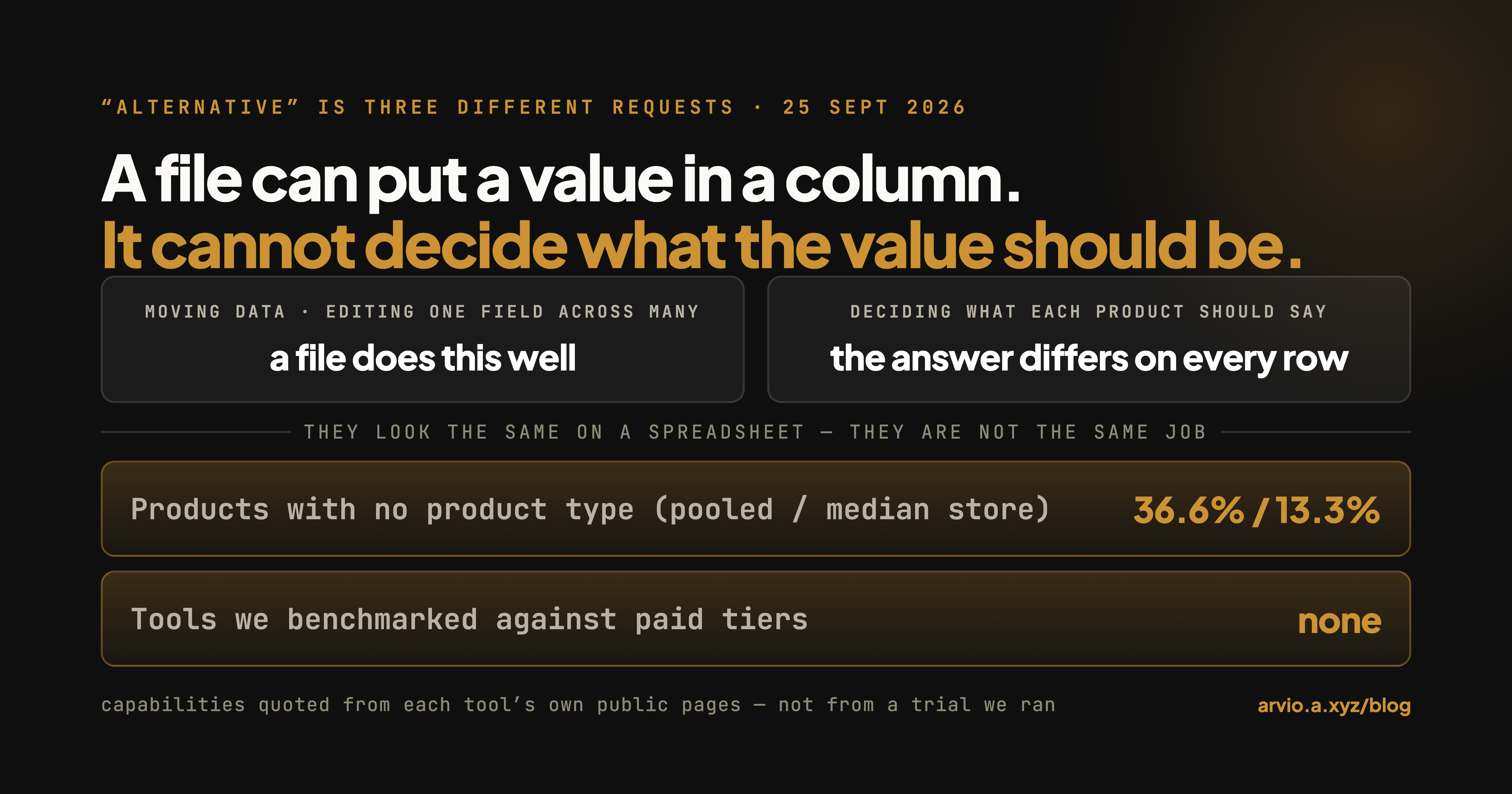
Matrixify Alternatives: What Each One Is Actually For
A comparison that starts by splitting the question. Matrixify moves store data in and out in bulk; that is a job it does well and this article says so. The two jobs it is not built for are bulk field editing and deciding what each product should say, and those are where an alternative makes sense.

Shopify inventory not syncing: which layer is actually wrong
Most stores that report inventory "not syncing" do not have a sync failure. They have two numbers that were never supposed to match: On hand and Available, or total inventory and online quantity. Shopify documents both distinctions, and it documents the cases where a number you can see in the admin is deliberately excluded from what the storefront shows. This walks through six causes in the order that takes the least time to rule out, quoting Shopify's own documentation for each, and marks clearly the three places where Shopify does not document the behaviour and you have to check your own admin. It ends with the one case that is a genuine silent data loss: two systems writing the same inventory level without concurrency control, where Shopify's own worked example loses 20 units with no error anywhere.
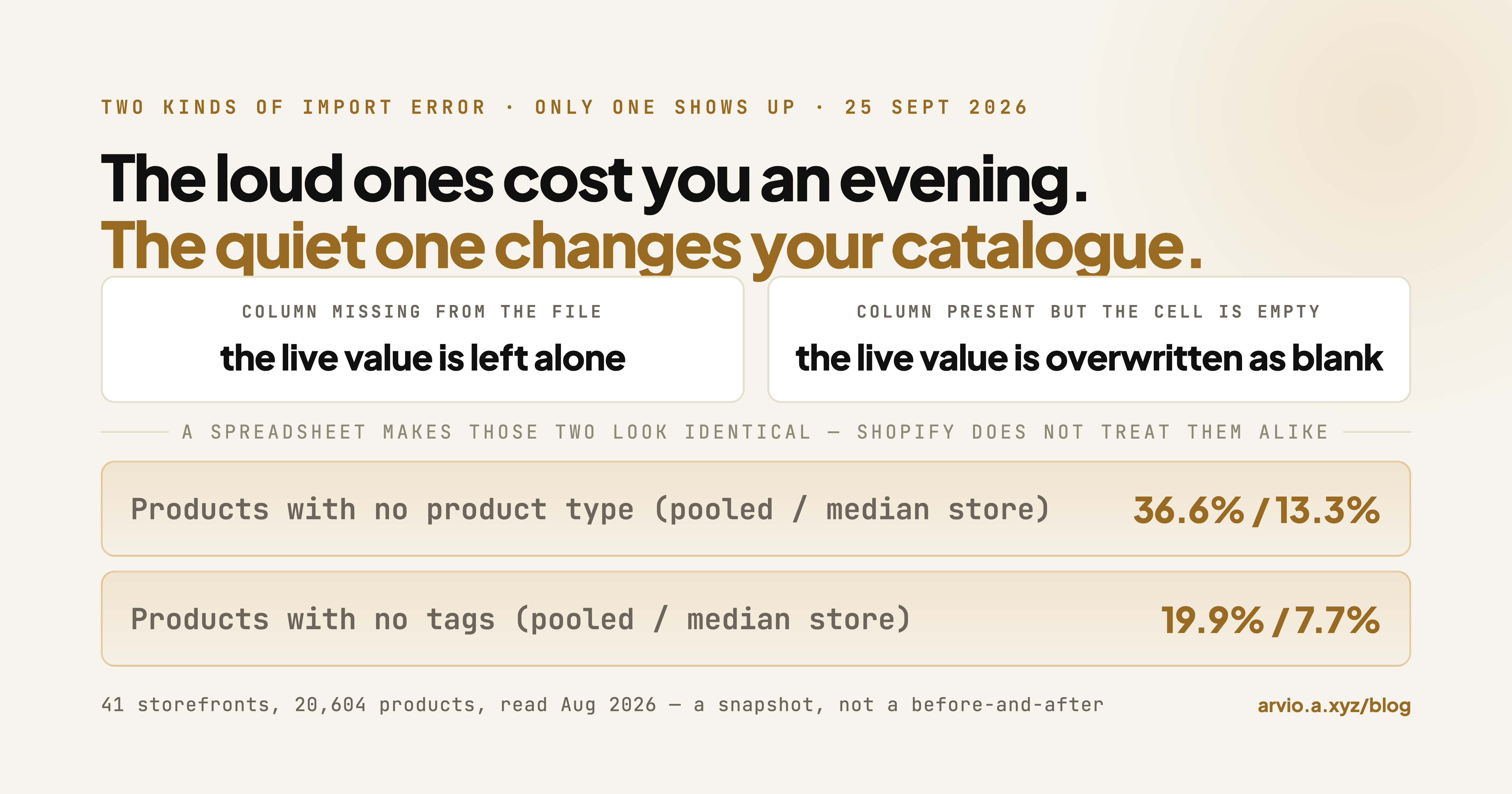
Shopify CSV import errors: the ones that fail loudly, and the one that doesn't
Shopify CSV import errors split into two groups that need completely different handling. The loud group stops the upload and names itself, and the fix is mechanical. The quiet group returns a success message and changes your catalogue anyway, and there is exactly one rule behind almost all of it: a column that is present in your file but blank in a row overwrites the live value with blank, while a column left out of the file entirely is untouched. The second rule people get backwards is the overwrite checkbox: when it is not selected, Shopify's documentation says matching products are ignored during CSV import, which means nothing happens at all, not that you get a duplicate. This article covers the errors themselves and the pre-upload checks that prevent them: a five-minute audit of your file before you press Import, the two column-name questions that actually matter, and why the columns most likely to get wiped are the ones almost nobody looks at afterwards.

How to Write a Product Description (Check Your Catalogue First)
Writing advice assumes a blank page. On the stores we read, the common failure is the opposite — one description spread across many products — and among the stores it hits, a third are already at half the catalogue or worse. This is how to find out which group you are in.

Shopify "Default Title" variant: how common it really is
Shopify gives a product with no options a single variant called Default Title. Across 6,473 products on 181 public storefronts, 42.3% carry it — meaning no options were ever configured. Another 9.4% have one variant with a real name, which is a deliberate choice. Counting variants alone reports both as "single variant" and cannot tell them apart.

Shopify product description length: it's not the median
A follow-up to our product description measurements. Splitting 178 public storefronts by catalogue size shows the typical store writes about the same length either way — 668 characters against 696. What changes is the tail: 42.9% of stores with 50 or more products ship at least one word-for-word duplicate description, against 15.1% of the smaller ones.

One Instruction vs One Product: What a Run Actually Is
Arvio's billing unit is one instruction — the same unit you already think in — and one run can cover one product or a batch you pick.

Four Shapes of Catalogue Tool, and What Each One Asks of You
Four kinds of tool fix catalogue problems, and the real difference between them is not quality — it is what each one makes you spend.

Not Our Demo Store: What Product Descriptions Look Like on 225 Real Shopify Storefronts
Across 225 public storefronts, the median description is 701 characters and thin ones concentrate in a few stores rather than spreading evenly.
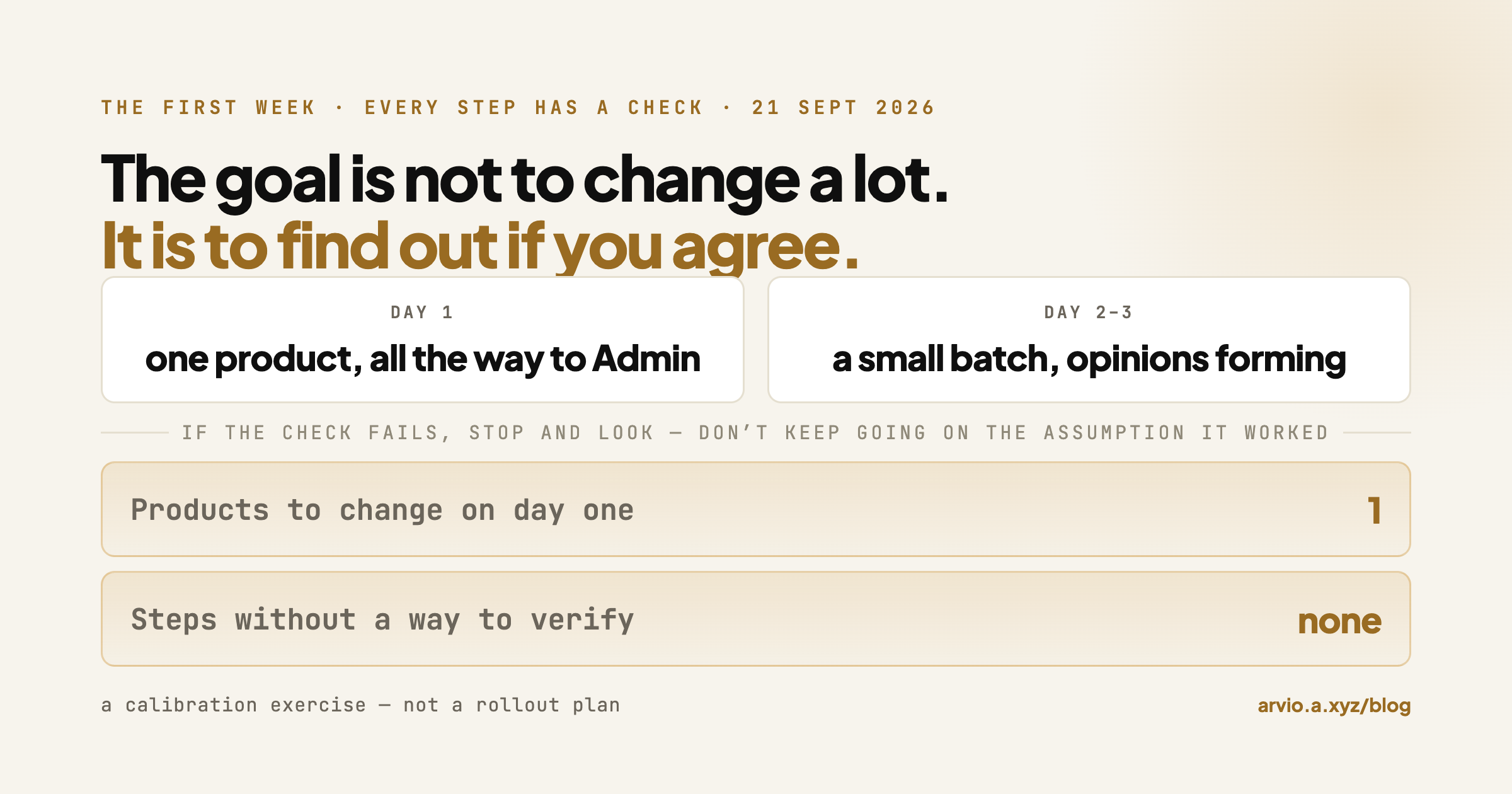
Your First Week With Arvio
A day-by-day guide to the first week with Arvio, where every step comes with a way to confirm it actually worked.

What Arvio Won't Touch
What actually bounds Arvio's write access to your store — the per-run scope card, the undo path, and the parts we can't put in writing.

What You're Actually Approving When You Press That Button
Arvio drafts the change, then stops and shows you a card. Here's what's on that card and how to decide.

Why We Ship the Fix Instead of the Report
Why a tool that finds hundreds of problems has not helped you, why one that fixes them silently is worse, and where the approval boundary belongs.

What It Looks Like When the Fix Is Already Written
One recorded run on our own demo store — what is on screen between asking for a rewrite and the change landing, including the confirmation card that names exactly what will be touched.

Why ChatGPT Can't See Your Shopify Store — and Which Part Is Actually Missing
A four-step diagnosis, in order, for a store that AI assistants can't describe — starting with asking one about your store and reading the shape of the wrong answer.

Shopify Product Page Optimization: The 95% You Never Scroll To
A read-only audit of 14,479 product pages across 23 Shopify storefronts, plus the script to run the same three checks on your own catalogue.

Your Shopify store gets traffic but no sales — start with the pages you never scroll to
Advice for a store that gets traffic but no sales almost always points at the homepage, the theme or the checkout. Those are the pages the owner looks at. We went and measured the pages nobody looks at: on 18 live Shopify storefronts where the storefront let us count it, the biggest collection runs a median of 7 pages and the deepest runs 241. Page size is set by the theme, not by Shopify — across those stores it ranged from 10 to 48 products per page. This piece is about how to find what is sitting on page 7 of your own store, using the Shopify admin first, a CSV second, and something automated third.

How to Add Product Type in Shopify When the Field Is Not on the Product Page
Product type no longer appears on the Shopify product page. Here is the bulk editor path where it still has an input box, how to find the blank ones without a CSV, and how often catalogues leave it empty.

Product description examples, and what 8,019 live products actually look like
Most product description examples online are written for the article. We read 8,019 products across 225 live storefronts instead and measured every description on the same definition. The most common problem was not the empty page: 1,613 products, one in five, carry a description that another product in the same store carries word for word. This piece gives you a fill-in template, a good-and-bad pair built on the same product, the measured length spread, and a script that scores your own catalogue.
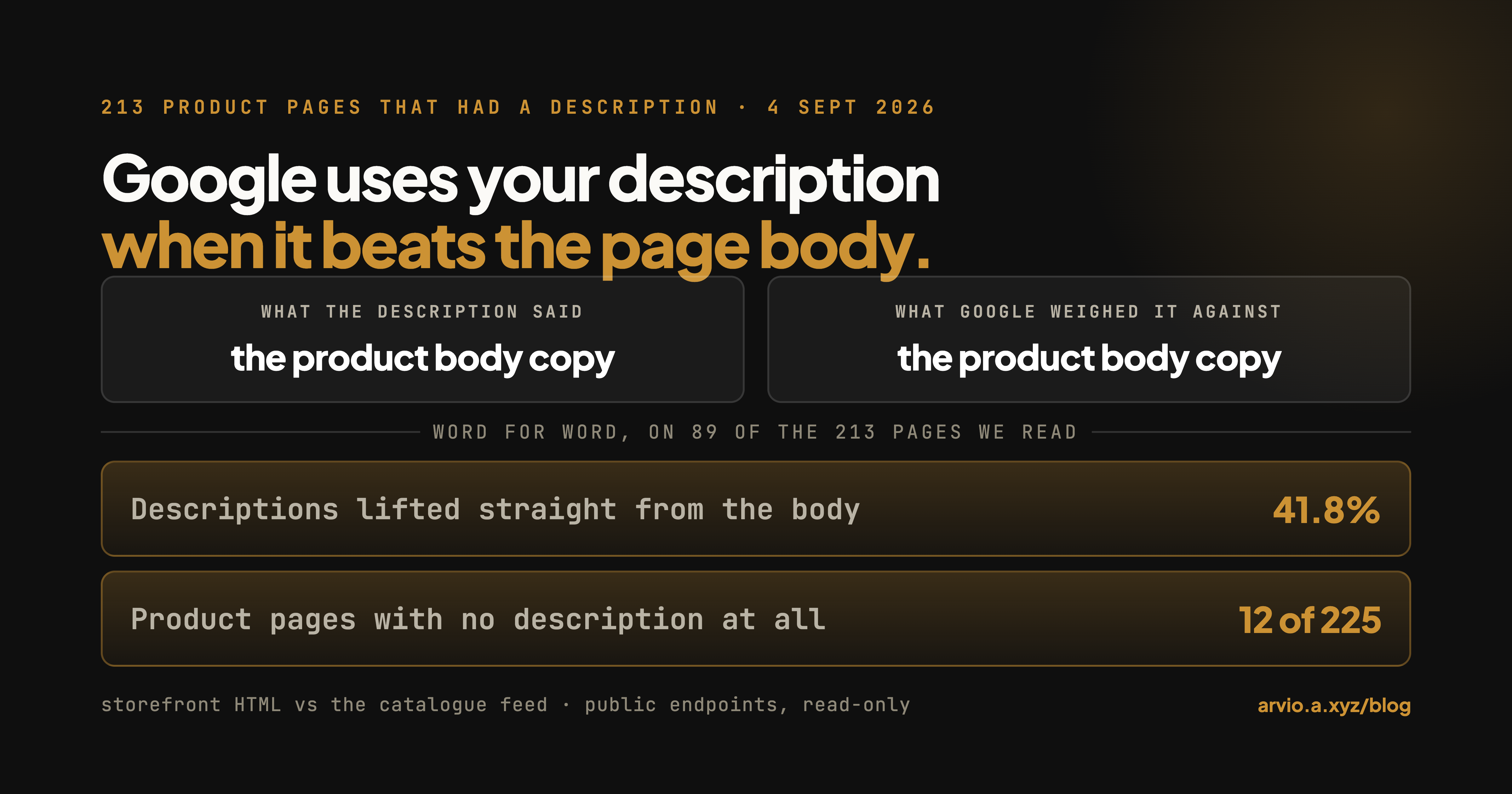
A Shopify meta description example, and why Google rewrote yours
One worked Shopify meta description, taken apart clause by clause, followed by the measured reason Google so often shows something else instead. On 225 product pages across 115 live storefronts read on 4 September 2026, 213 had a meta description and 89 of those — 41.8% — were the product body copy lifted verbatim, which is Shopify's documented fallback when the field is left blank. A description that repeats the page body is not an alternative for Google to consider. Includes what Google's snippet documentation actually says, why 160 characters is the wrong target, and what to check before rewriting anything.

Shopify title and meta description examples
Worked title and meta description examples for the four Shopify page types that matter, each paired with the default shape it replaces. The defaults are not invented: on 225 product pages across 115 live storefronts read on 4 September 2026, 76.7% of titles opened with the product name as it sits in the catalogue and 41.8% of descriptions opened with text found verbatim in the product body. Includes what the good versions have in common, why length targets are the wrong constraint, and the one thing you cannot copy from an example.

Shopify title and meta description: what live stores actually ship
The two fields Shopify calls Page title and Meta description, measured rather than described. On 225 product pages from 115 live storefronts read on 4 September 2026: 5.3% of product pages had no meta description at all, 76.7% of titles opened with the product name as it sits in the catalogue (only 12 were the product name and nothing else), 41.8% of descriptions were the product body copy lifted verbatim, and 51.2% of descriptions were longer than the 160 characters Shopify itself recommends. Includes where both fields live in the admin, the place Shopify's own docs give two different limits, the three SEO columns the built-in bulk editor does offer (which its own help page never lists), and what Google says it does with either field.
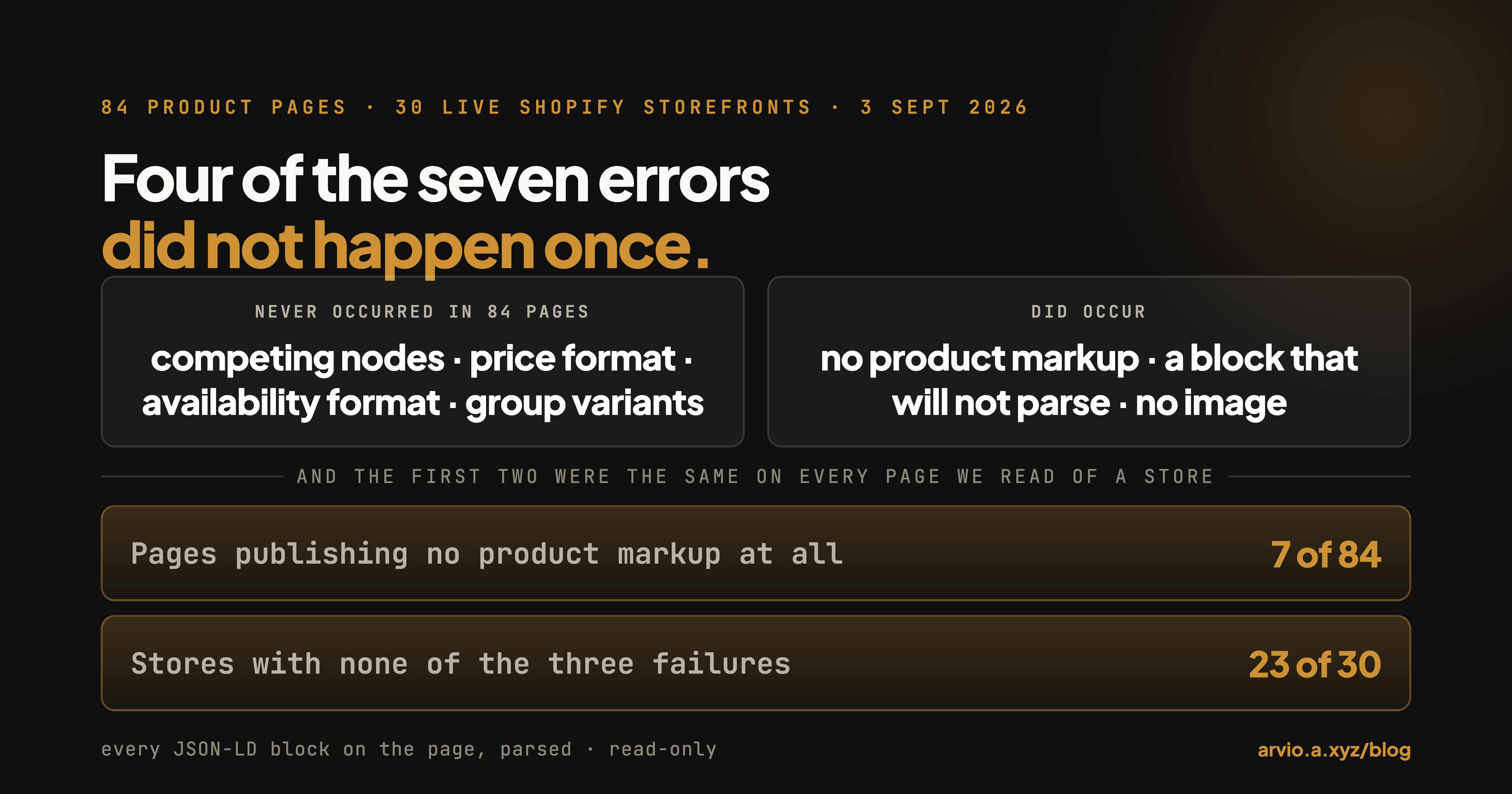
Shopify structured data errors: which ones actually occur
Advice about Shopify structured data is written as if errors were scattered across your catalogue, one product at a time. We parsed every JSON-LD block on 84 product pages across 30 live Shopify storefronts on September 3, 2026 and tested seven things that can go wrong. Four of them never occurred once: no page carried two competing Product nodes, no price was non-numeric, no availability value was unrecognised, and every ProductGroup carried its variants. Three did occur, on seven stores in total: seven pages published no product markup at all, six pages carried a JSON-LD block that will not parse, and five product nodes published no image — three of which had a real photo in the catalogue the markup never mentioned. The useful part is the shape: 23 of the 30 stores were clean on all three, and two of the three failures — no product markup, and a block that will not parse — were store-wide on every page we read. The third, a product node with no image, varied from page to page inside the same store. Structured data on Shopify is a property of your theme, not of your products, so one page tells you where you stand.

Product images not showing on Shopify: which of the three failures you have
This phrase covers three failures that need three different fixes: the image file does not load, the product has no image at all, or a shopper picks a variant and the photo does not change. We read the public catalogue of 30 live Shopify storefronts on September 3, 2026 and fetched a sample of main image URLs directly. On the 25 stores whose catalogues came back complete, all 119 main images we requested returned HTTP 200, so the file serving layer was not the problem anywhere in the sample. Products with no image at all were rare — 38 of 3,689, and 35 of those sat in a single store. The failure that was everywhere was the variant layer: 2,442 of the 3,689 products carry more than one variant, and 807 of those (33.0%) have no variant-level image, which is why a shopper choosing a colour sees the same photo. Six of the 25 stores were at 100%. Includes the one request that tells you which of the three you have.

Sold out products still showing on Shopify: which of the two problems you have
People type this phrase with two opposite problems. Either a product you have in stock is showing as sold out, which is almost always an inventory-location setting, or products that really are sold out are still sitting on your collection pages taking up the slots shoppers see first. We read the public catalogue and the default /collections/all listing on 30 live Shopify storefronts on September 3, 2026. On the 20 stores where both endpoints returned a complete list, every single sold-out product was still listed in the collection: 211 of 211. Forty-two of them sat in the first 24 slots, and 9 of those 20 stores had at least one sold-out product on the first screen a shopper sees. Shopify documents a fix, and its own help page carries the note that the fix silently does nothing if you set the collection to match any condition instead of all.

GPTBot and your Shopify store: what your robots.txt actually says
Search GPTBot and page 1 is OpenAI's own documentation plus bot-detection vendors. None of it can tell a Shopify merchant the thing they actually want to know: what is my store saying to it right now. We read robots.txt on 58 live Shopify storefronts on September 3, 2026. 53 of them serve Shopify's platform default file — 116 lines that name two agents, neither of which is GPTBot. Exactly one store names GPTBot at all, and that one allows it. None block it. We also tested, on our own domain only, whether the server treats a GPTBot user agent differently from a browser: across all 36 URLs in our sitemap the responses were identical to the byte. robots.txt is a published request, not a lock, and on Shopify the default request is silence.

Shopify redirects: the one rule that decides whether yours will work
Shopify's redirect tool has one rule that decides everything else: you can only redirect from a URL that is already broken. If the old URL still loads a page, the redirect silently does nothing. That rule is why so many "my Shopify redirect isn't working" threads end without an answer — the URL people are trying to redirect was never broken. We requested nine URL shapes against 20 live Shopify storefronts to sort them into the two piles. Missing products, missing collections and wrong resource types returned 404 on all 20 stores — those are redirectable. An uppercase handle, a trailing slash and a junk variant parameter returned 200 on all 20 — those are not, and they are handled by the canonical tag instead, correctly on 19 of the 20 stores we checked.

ChatGPT Shopping: What Your Shopify Catalogue Actually Shows an Agent
Shopping agents do not read your theme. They read your catalogue, filter it by structured attributes, and write one or two sentences per product from whatever description you supplied. We read 20,659 products across 39 live Shopify storefronts through the public catalogue endpoint and counted what was missing: 36.5% of products had no product type, 19.8% had no tags, and 28.4% carried under 400 characters of description markup. Pooled across all products, 42.1% had at least one field left entirely empty; in the median store it was 58.5%. The plumbing is already in place on every store we checked — the gaps are in the fields.

agents.md: what AI shopping agents read first on your Shopify store — we checked 42 of them
Almost everything written about agents.md describes the format. We went and read the file itself on 42 live Shopify storefronts drawn at random from a public list. All 42 served it, all 42 were the same generated document, and 84.4% of the non-empty lines were byte-identical across every store. Each merchant's copy differs in at most ten lines, and those ten are the store name, the two endpoint URLs and the policy links. Nothing in the file says what the store sells or who it is for — the agent gets that from the product data underneath, which is where the differences between stores actually live.

Shopify Archive vs. Delete: What Actually Happens to the Product URL
We diffed the public catalogs of 39 Shopify stores six days apart and requested every product URL that had disappeared. Of 47 removed handles, 36 ended at a 404 and 11 landed on a different live product — but all 11 redirects came from two of the seven stores, so the store-level reading is the honest one: five of seven had no redirect on anything they removed. All 47 were already out of their store's sitemap. So the thing to check is what the old URL returns, not what the sitemap still lists.

Sidekick, or any other Shopify AI agent: they all read the same catalog
We read 20,659 products across 39 public storefronts to show what actually decides which Shopify AI agent helps you: whether the machine-readable layer of your catalog is filled in. Descriptions were empty on 2.7% of products — but 18.8% were under 120 characters and 28.4% under 400, and the machine layer was worse still (36.5% no product_type, 19.8% no tags). The gap is not evenly spread: 15 of 39 stores hold 87.7% of it.

How to audit a Shopify store
Most things sold as a "Shopify store audit" are a checklist with a score on top. This is the opposite: six checks you run yourself in a browser, each with the URL, the thing to count, and what a pass looks like — plus every number they returned on a store we own, measured twice.

Shopify store management is a queue, and the admin has no view of it
Managing a Shopify store is usually described as a set of habits. It is closer to a queue: a stock of product records that need an edit, and an arrival rate of new ones. Both are countable and neither is in the admin, because the admin filters fields that already have values. We counted both on 42 live storefronts, 52,489 products, read on 1 September 2026. The median store carried one product page with nothing on it or a self-contradicting price; add products nobody can buy and the median store is at 12 records; add the two fields that only matter if you use them and it is most of the catalogue. And the median store added nothing at all in the previous 30 days, so for most of these catalogues this is an old backlog rather than a growing workload. Includes a paste-and-run count for your own store, three groups instead of one number, size slices at three cut points with the largest catalogue removed as a robustness check, and what the numbers cannot tell you.

Shopify products missing from Google Shopping: the half you can actually measure
A Shopify product can go missing from Google Shopping in three different places, and only one of them is visible from outside your admin. We measured that one on 42 live storefronts, 52,489 products, read on 1 September 2026: every product against the parts of Google's product data specification a storefront exposes, and every landing page's structured data against that store's own catalogue. The price mismatch every guide leads with turned up once in 73 product pages, and that comparison had less room to fail than it looks — 37 of the 41 in-stock products had a single variant price to agree with. The requirement that is failing is image size: Google's spec now asks for at least 500 x 500 pixels with enforcement from 31 January 2027, which takes the stores in our sample with at least one undersized main image from 10 to 20. Includes a paste-and-run check, the identifier gap, an in-admin path for the failure this article cannot see, and a plain account of the half no public measurement can reach.

Shopify compare at price: what the field does, and the one rule that breaks it
Compare at price is a display-only field on the variant: it never touches checkout, never computes a discount, and has one rule — it must be above the price. When it isn't, what the theme writes into the page is a separate question, and we read 24 product pages to find out. This article covers what the field is, the four routes to set it, the ways it quietly stops working, and what 40 live storefronts read on 31 August 2026 actually set: a median discount of 19.05%, a 10th-to-90th percentile spread of 13.8% to 40.0%, and at most 6.31% of discounts landing on a round multiple of 5%.

How to put your prices back after a sale in Shopify
Shopify has no built-in "put the prices back on Monday": scheduled discounts run at checkout and never touch a product's price, so if you edited the price itself, editing it back is manual. A revert is two edits — restore Price, clear Compare at price — and the second one is the one that gets left behind. Across 40 live storefronts read on 31 August 2026, 4,863 variants carried a compare-at price exactly equal to their selling price. We then read the HTML of 24 product pages: on six of the twelve equal-compare-at pages, the theme's markup struck through the selling price itself, and none of the twelve carried the on-sale class that nine control pages did.

Shopify product page audit checklist
Every Shopify product page audit checklist tells you what to do. None of them tells you how many stores don't do it — so you finish the list knowing you have work, but not whether you are behind or perfectly ordinary. We ran eleven of the most-repeated checklist items across 20,604 products on 41 live Shopify storefronts and put a number on each one. Three of them turn out to be the majority state: 65.6% of products have a single variant, 73.2% carry no compare-at price, 55.8% have three images or fewer. A checklist that scores those as failures is scoring you against a page that almost nobody has. The article gives the eleven baselines, a paste-and-run script that measures your own store against them, and an honest account of what a baseline can't tell you.

Clean up messy product data after a Shopify import
The advice on cleaning up after a Shopify import is mostly about deleting duplicates. None of the results we read measures what an import actually leaves behind. We read the public catalogues of 41 live Shopify storefronts — 20,604 products — and grouped every product by the day it was created. Days where 20 or more products appeared at once (132 of them, across 20 of the 41 stores, accounting for 53.5% of all products read) look very different from the rest of the catalogue: 4.4% have an empty description versus 0.7% elsewhere, 29.7% have a description under 200 characters versus 11.9%, and 46.4% carry one image or none versus 21.0%. Splitting those days into non-overlapping buckets shows where it actually comes from: days of 50 or more products (38.4% thin, 56.4% single-image), while the 20-49 bucket is the cleanest on thin descriptions at 1.9%. This article gives you a script that finds your own batch days and scores them on the same three checks, the order to fix them in, and one field the data says is not the import's fault at all.

How many images per product on Shopify?
Search this question and you get two kinds of answer: Shopify's own docs give the platform ceiling (250 media per product), and vendor blogs give 5-8, 6-8, or 10-15 — three different numbers, and none of the three posts we read cited a source. What none of them had was a measurement of real stores. We counted the images on 20,604 products across 41 self-listed Shopify storefronts: the median product carries 3 images, the mean is 5.63, 34.6% sit at one image or none, and only 37.6% reach 5. Those product-level shares are weighted by catalogue size — one 3,636-product store is 17.6% of the sample — so the sturdier figure is the median store's median, which is 4. This article gives you a script that prints the same distribution for your own catalogue so you can see where you stand — and is explicit about what these numbers cannot tell you, since a public catalogue endpoint returns image counts, not sales.

Shopify duplicate products cleanup
When the same product exists as two (or more) separate records, your store carries two URLs, two inventory counts, and two versions of the same page for a search engine to choose between. This article shows you how to list every likely duplicate in your store in about a minute — an admin sort plus a public endpoint that returns every product's title and handle — then how to decide which record to keep and remove the other safely with a URL redirect so the old link doesn't 404. Across 20,604 products on 41 live storefronts, 293 (1.4%) shared an identical title with at least one sibling in the same store, and 21 of the 41 stores had at least one such pair. The cleanup — deciding, one duplicate at a time, which record to keep and where to point the old URL — is the part that stalls once a store has more than a handful.

Shopify search not finding products (when your own search bar comes up short)
A shopper uses the search bar on your store and gets nothing, or a list that's missing obvious products. Shopify's storefront search only matches a fixed set of fields — title, description, product type, tags, vendor, and variant SKU/barcode/title — so a product is missing when the search term isn't in any of those, or when the product isn't published to the Online Store channel, or when it hasn't been indexed yet. A frequently overlooked cause is a blank product type, one of the searched fields: across 20,604 products on 41 live stores, 36.6% had no product type. This article walks the causes in the order worth checking them, gives you a one-minute public-data check for the blank-type one, and marks where the fix stops being a five-minute job.

Shopify collection filters not showing (or showing the wrong values)
The filter sidebar on a collection page is empty, or lists the same idea twice (a "Sale" option and a "sale" option). A filter only surfaces values that exist on the published products in that collection, so a blank product type gives a "Filter by type" facet nothing to show, and a tag spelled two ways can split one option in two. This article shows you how to list your blank product types and casing-split tags from public catalogue data in about a minute, then walks the fixes — and where the deciding across hundreds of products is the part that stalls.

Shopify empty collections
A collection that opens on your storefront with nothing in it is empty for one of three reasons: an automated condition that currently matches no product, products that were unpublished or archived, or a collection created and never filled. This article shows you how to list every empty collection in your store in about a minute — the admin Collections page carries a product count per collection, and a public endpoint returns the same counts in bulk — then walks the three causes and how to clear each. Across 2,518 collections on 41 live storefronts, 140 (5.6%) were empty; 19 of the 41 stores had at least one. The cleanup — deciding, one empty collection at a time, whether to fill it, fix its condition, or delete it — is the part that stalls once a store has dozens of them.

Shopify tags cleanup
Point a short script at your own store's public products endpoint to find your tag bloat, then decide what to do with it. Across 41 feedback-seeking Shopify storefronts (a convenience sample, 20,604 products), 6.3% of products carried more than 20 tags, 5,591 of 9,674 distinct tags were used on exactly one product, and 17 of the 41 stores had a tag live in two spellings at once. The article shows you how to spot your own worst offenders, then how to actually merge near-duplicates, strip one-offs, and normalise casing across hundreds of products without doing it by hand.

Shopify collection not showing all products
Most of the time the collection is paginated: the theme puts 12 to 24 products on a page and the rest are behind page links. We measured page-1 size on five live storefronts (12, 16, 16, 16, 24 — all far below the 250 Shopify allows) and read 2,518 collections on 41 stores for the distribution. The article's spine is one check that splits the problem in half: look for the missing product in the collection's public JSON. Present but not on the page means display — pagination or the theme hiding sold-out items (10.3% of products in these catalogues were fully sold out and still published). Absent means membership or publishing — collection conditions, an empty collection (5.6% of the ones we read hold nothing), or a product not published to the Online Store.

Shopify schema markup: what 58 live stores actually serve
Shopify emits Product and Offer JSON-LD on virtually every product page — 95% of the 167 pages we parsed — and it does so from a platform filter, not from anything the merchant switched on. That same filter emits no rating at all, which is why aggregateRating is on none of the product nodes we read. Barcode reaches 14% of pages, shipping details 5%, return policy 7%. Written from a public, rebuildable sample frame — the board, the draw and every exclusion are in the method section.

What happens if you never unpublish a sold-out product on Shopify
All eight pages our search returned for this tell you how to hide a sold-out product. Not one measured what happens if you don't. So we did: 13 live Shopify storefronts, 65 sold-out products opened one at a time on 26 August 2026. All 65 returned HTTP 200. All 65 were still listed in their own store's sitemap. None carried a noindex, in the page or in the response header. 60 of 65 declared OutOfStock in structured data — and fifteen never said "sold out" anywhere in the HTML at all. Includes the four ways to act, the case for doing nothing, and the one-paste check for your own store.

Arvio: the AI store operator that drafts the work and waits for you
Arvio is an AI store operator for Shopify, built for stores where the owner is also the whole operations team. Describe a change in plain language, review exactly what it will do, approve once, and it works across the whole catalogue. Includes a recorded run repricing a live catalogue in 5 minutes 46 seconds, the four-stage model it uses to decide what to fix first, what it connects to, where the product is going, pricing, and how to work with us.

Every Shopify store we read is already serving an agent API
Not written for search volume — written to be checkable. We read 43 live Shopify storefronts on 26 August 2026 and found that every single one serves an /agents.md file, a UCP discovery document at /.well-known/ucp, and a live MCP endpoint. Twenty-six of 28 name those endpoints in their own robots.txt. One tools/list call returned 13 tools covering catalogue search, carts and the complete checkout lifecycle. No merchant enabled any of it. Includes what the discovery document exposes that you might not expect, and a clear statement of what we did not measure — namely whether a single order has ever arrived this way.

Why your Shopify products aren't showing on Google
Every article on this query gives you the same checklist: check robots.txt, check noindex, check your canonical, submit your sitemap, add structured data. We measured all five on 43 live Shopify storefronts and all five were already correct on every store. So the checklist is not a diagnosis — it is a description of what Shopify already does for you. What did vary: meta descriptions that are the first 320 characters of the product body, product pages over a megabyte, sold-out products still being submitted to search engines, and discovery that now runs through an agent endpoint every one of these stores is already serving.

Shopify inventory management: how much of a catalogue a shopper cannot buy
We read the public catalogue of 43 live Shopify storefronts and counted the products where every variant is unavailable while the product is still published. The median is 4.6%, or 7.5% once six stores whose zeros may be a setting rather than a fact are removed — and that gap is most of what you need to know about using either number as a benchmark. Includes the list to act on rather than the percentage, why variant-heavy catalogues read lower, and one thing we did not go looking for: of 474 stores whose owners posted them on the Shopify Community asking for feedback, 244 no longer serve a catalogue at all.

What a Shopify virtual assistant does
The companies answering this question mostly sell the labour. This article takes the task list those staffing pages publish, and puts a stopwatch on the catalogue half of it in a live Shopify admin: 19.6 seconds to type one 147-character description, 5.64 seconds per price cell, 1.76 variants per product. It then does the arithmetic against the hourly rates two of those vendors publish, and is explicit about what that arithmetic does and does not prove — including the half of the job that does not compress at all.

How to change prices in bulk in Shopify
Three ways to change prices in bulk in Shopify, all run in a live admin: the built-in bulk editor (Price is in the default columns, but nothing in the grid does percentage maths), a five-column CSV re-import built around Variant Price, and a prompt that previews every line before writing. Includes stopwatched timings for both the manual and the automated route, the reason your product count understates the work by roughly 1.8x, and a full account of which numbers we could not verify.

How to bulk edit product descriptions in Shopify
Three ways to bulk edit product descriptions in Shopify, all run in a live admin: the built-in bulk editor (the Description column is off by default, which is why people think it can't), a CSV export and re-import (five columns, one row per variant, and the overwrite tick that decides whether any of it lands), and generating drafts for review. Includes the two import error messages nothing documents, the current column names, and a stopwatched 19.6 seconds per description.

Your SEO app found 400 missing meta descriptions. Now what?
An SEO audit that reports 400 missing meta descriptions is not a 400-item task list. Shopify generates a snippet when the field is empty, and Google rewrites snippets anyway, so most of those pages should stay auto-generated. This is how to pick the ones worth writing, and the three routes for changing them in bulk - the built-in editor, the product CSV (three columns: URL handle, SEO title, SEO description) and generated drafts - plus the column-vs-empty-cell rule that decides whether an import protects a field or erases it.

Shopify App Store Ads: what 310,000 impressions say about Relevance, bids and dead keywords
One advertiser's keyword-level exports for Shopify App Store Ads, two accounts. Relevance predicts click-through (3.6x across five bands) but barely predicts install rate (30.0% top-two vs 24.9% bottom-three); the 1.83x cost-per-install penalty on "Very low" keywords is 1.59x price per click, not worse traffic; 65.7% of the keywords Shopify rated "Very high" got zero impressions in a year; and the only bid signal that separates live from dead is whether a suggested range exists at all - 8.95x impressions per slot in the year-long account, 3.18x in the seven-day one.