5 Best FREE Shopify Order Printer Apps to Scale Your Store Faster

Guest post by the VIFY team
For any Shopify merchant processing a large volume of orders, the quality of your order documents reflects directly on your business. Shopify does include a basic native order printing function, but it is minimal. It lacks custom branding, bulk printing at scale, automated PDF delivery, and the kind of template flexibility that growing stores require. This is precisely why a dedicated order printer app for Shopify has become one of the most practical investments a merchant can make. This blog highlights the 5 best Shopify order printer apps, helping you find the right invoicing solution for smoother operations and better branding.
What to look for in a Shopify Order Printer App
Before selecting the right app for an order printer on Shopify, it is worth understanding the features that separate a capable tool from a basic one.
Key features to compare
- Template customization: Can you edit the layout, add your logo, adjust fonts, and include custom fields? Apps that support Liquid templating offer the highest degree of flexibility.
- Document types supported: Look for apps that cover invoices, packing slips, receipts, return forms, and shipping labels — ideally from a single dashboard.
- Bulk printing: High-volume merchants need to select and print dozens or hundreds of orders simultaneously. Not all apps support this efficiently.
- Automated PDF delivery: Some apps can automatically email a PDF invoice to the customer at the moment an order is placed or fulfilled — a significant time-saver.
- Branding control: Your documents should look like they come from your brand. Ensure the app allows logo placement, brand color application, and custom footer text.
- Multi-language and multi-currency support: Essential for international merchants or those operating across multiple regions.
Free vs. paid: when is it worth upgrading?
Free Shopify order printer apps are a sensible starting point for merchants with low order volumes or simple document needs. They typically provide standard templates and single-order printing without cost.
Paid apps, which generally range from approximately $5 to $20 per month, become worthwhile once you require bulk printing, automated PDF emails, advanced branding, or compliance features. For most stores processing more than 50 orders per month, the efficiency gains from a paid app justify the investment many times over.
The 5 Best Order Printer Apps for Shopify
1. Vify Order Printer: PDF Invoice App
Best for: Merchants selling internationally who need multi-language invoices and an automated workflow, with minimal technical setup.
A reliable, well-priced order printer app for Shopify with 24/7 & strong multi-language support.
Rate: 4.9/5 (1,200+ reviews)
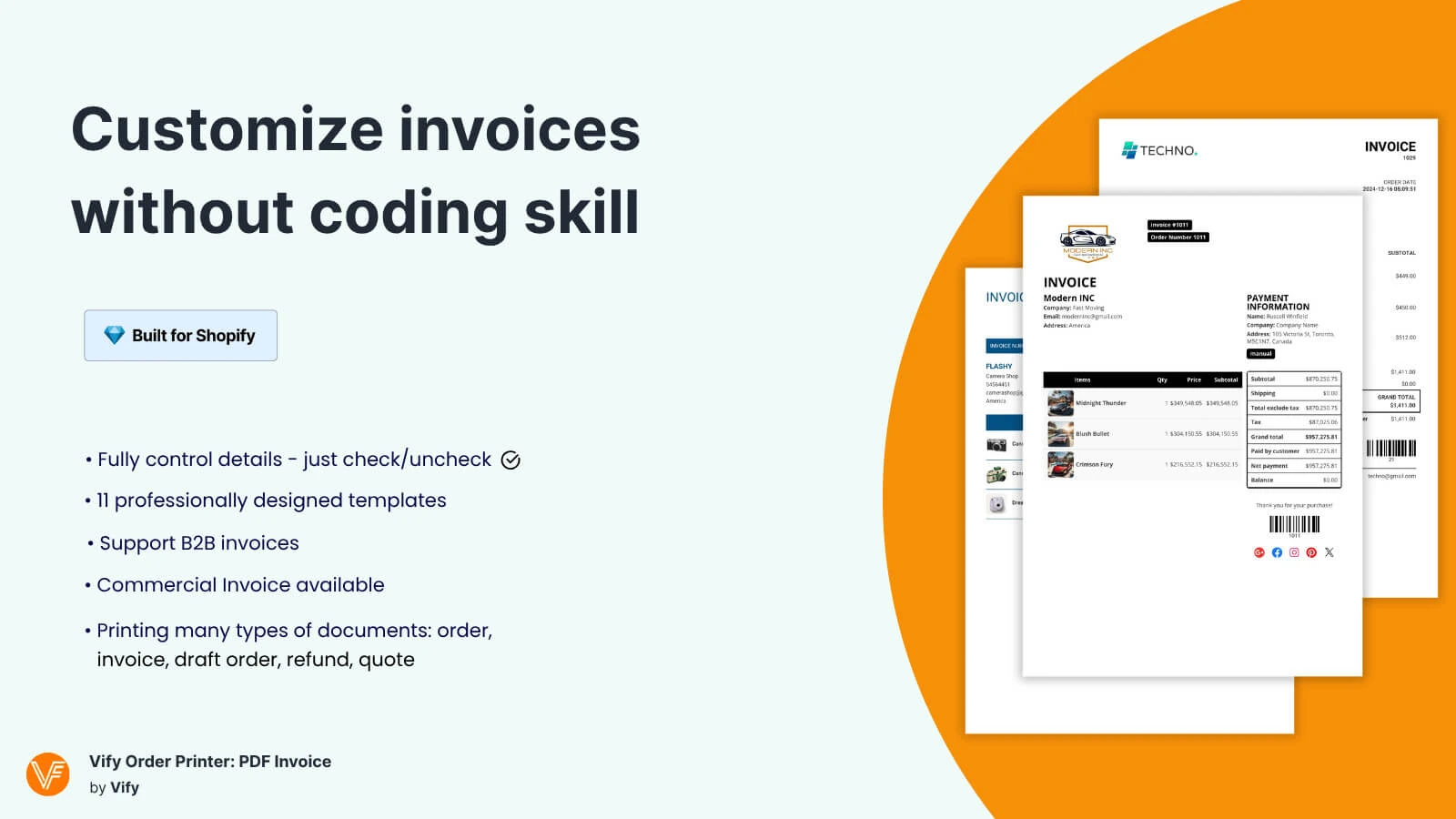
Vify offers a balanced combination of template customization, automated emailing, and multi-language support at a competitive price point. Merchants at all technical levels can easily customize professional invoice templates with no-code. The app generates invoices, packing slips, refund receipts, and supports automated PDF emails triggered by order events.
One key advantage is its pricing model. While other apps often charge based on the number of orders processed, Vify offers unlimited orders on all paid plans — making it a more cost-effective option, especially for growing and high-volume stores.
Key features:
- Point and click template customization, no coding required
- Bulk print and download for large order batches
- Automatic invoice emails triggered by order events
- Auto-detect language based on customer location
- Quotes and commercial invoices on higher tiers
Pricing: Free plan available. Paid plans from $10.99/month.
2. Softify: Easy Invoice+
Best for: Merchants looking for an all-in-one solution to manage orders and invoicing efficiently, especially those handling bulk operations without technical complexity.
Rate: 4.8/5
Softify is a comprehensive invoicing solution that combines invoicing with order management in one streamlined tool. It supports both automatic and manual invoice creation, bulk order processing, and multiple document types like invoices, credit notes, and delivery notes. It’s a practical choice for merchants who want to simplify operations and scale efficiently with reliable support.
Key features:
- Automatic and manual invoicing for regular Shopify orders
- Create invoices that comply with the legislation
- Send invoices to receive payments just in time
- Process multiple orders with Order Manager's batch tools
- Supports multiple languages and currencies
Pricing: Free plan available. Paid plans from $12.95/month.
3. Order Printer Pro: PDF Invoice
Best for: Scaling and high-volume merchants who need automated, multi-currency invoicing with advanced template customization.
Rate: 4.9/5
Order Printer Pro combines powerful automation with deep customization, making it ideal for both growing brands and high-volume stores. It offers a complete solution for multi-currency invoicing by handling large volumes, complex order types, and ensuring every invoice reflects the correct currency automatically. However, this level of flexibility comes with a trade-off — the app can feel relatively complex for beginners, with a less intuitive interface that may require time to fully navigate and configure.
Key features:
- Automatic multi-currency invoice generation
- Bulk printing and export for large order volumes
- Fully customizable templates using Liquid
- Automated email delivery with currency-aware totals
Pricing: Free plan available. Paid plans from $10/month.
4. Invoice Hero PDF
Best for: Merchants who want a no-fuss, reliable invoice app with easy control and global currency support.
Rate: 4.8/5
Invoice Hero PDF offers a clean, focused experience for merchants who want reliable PDF invoice generation without the complexity of more feature-heavy apps. Its interface is particularly well-regarded for its simplicity, making it a strong choice for merchants who want to get up and running quickly.
Key features:
- Customize and create invoices with the brand's colors, fonts, and logo
- An order printing tool to send PDF invoices automatically or manually
- Create tax-compliant invoices with multi-currency support for international sales
- Download or print the PDF invoices generated with the invoice printer in bulk
- An invoice generator to create PDF invoices for Shopify POS
Pricing: Free plan available. Paid plans from $5.95/month.
5. Simple Invoice
Best for: Solo merchants or small stores who need invoices quickly with no configuration overhead.
Rate: 4.9/5
As the name suggests, Simple Invoice prioritizes ease of use above all else. It generates clean, professional invoices with minimal configuration, making it particularly well-suited to merchants who do not want to invest time in template customization. The app handles PDF generation reliably and allows customers to download invoices from their order confirmation page. While it lacks the advanced features of higher-ranked alternatives, its simplicity is its strength for the right audience.
Key features:
- Create invoices that comply with your country's regulations
- Send invoices automatically or manually
- Multiple currencies and languages are supported
- Send invoices, quotes, or drafts and get paid in seconds
- Download documents such as invoices, drafts, and vouchers
Pricing: Free plan available. Paid plans from $9.99/month.
How to set up an Order Printer app on Shopify
Installing and configuring an order printer on Shopify is straightforward. The following steps apply to most apps on this list.
- Go to the Shopify App Store. Search for your chosen order printer app by name.
- Install the app. Click Add app and follow the authorization prompts. The app will request permission to access your orders, products, and store settings. Review and accept these permissions to proceed.
- Select or create your first template. Most apps will prompt you to choose a starting template. Select the document type you need most and choose a pre-built design to customize.
- Customize the template. Follow the steps to add your logo, configure business details, and adjust the layout to match your brand.
- Configure automation (if available). If your app supports automated PDF delivery, navigate to the automation settings and enable the trigger you require. The most common option is to send the invoice automatically when an order is placed or marked as fulfilled.
- Test with a real order. Place a test order or select an existing order from your admin. Generate and print the document, then review it for accuracy, layout, and branding before activating it for all customers.
Final thoughts: Which app should you choose
The right Shopify order printer app matches the scale, complexity, and brand standards of your specific operation. Whichever app you select, take the time to configure your Shopify invoice templates thoughtfully. A well-designed, accurate invoice or packing slip is a direct representation of your brand at one of the most meaningful moments in the customer experience.
For Shopify stores looking for a professional invoice solution that's easy to customize without any coding, VIFY Order Printer is worth considering. Try it for free and see how it fits your store's needs.