Shopify structured data errors: which ones actually occur
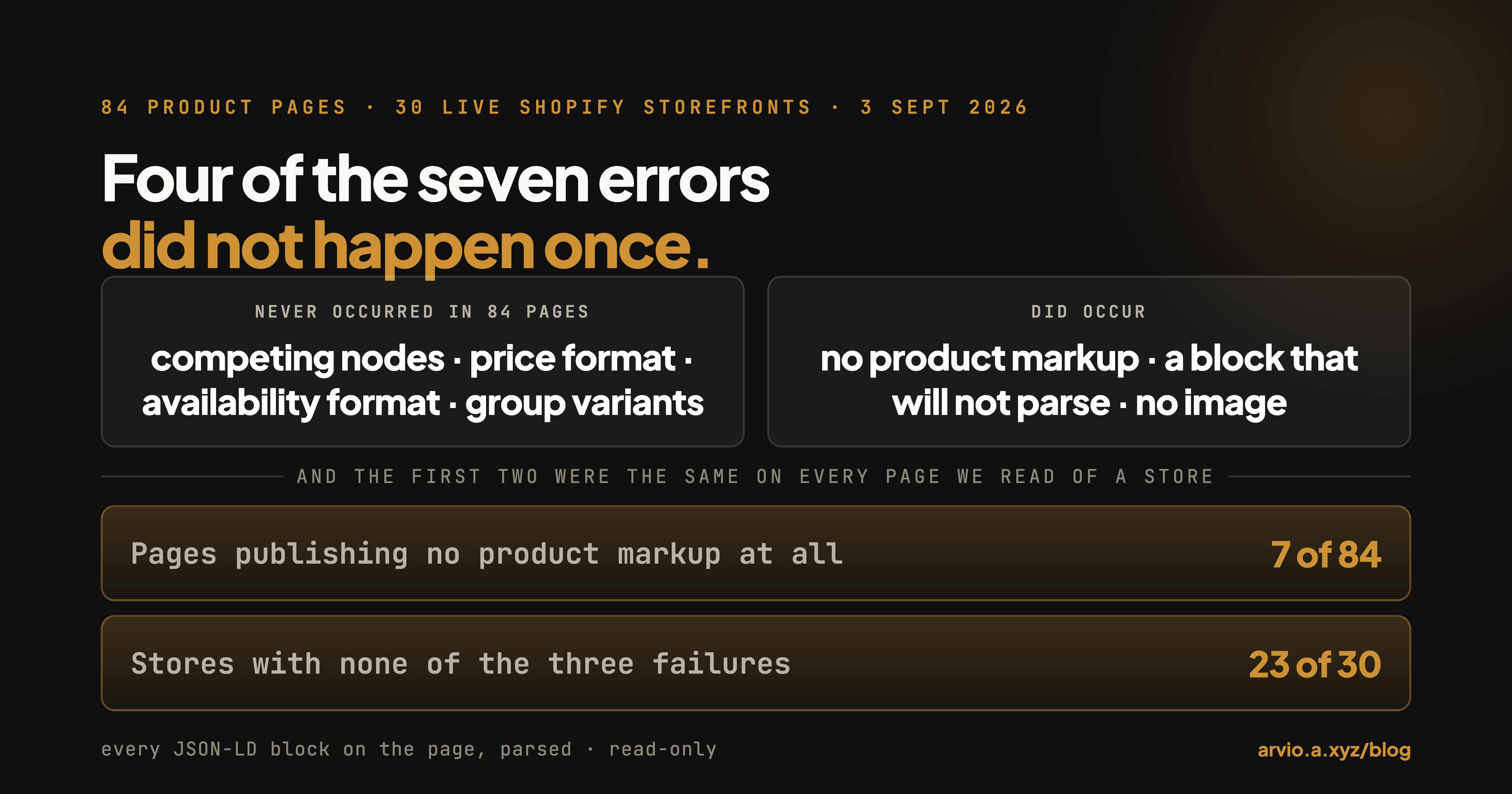
Published September 3, 2026 by Adot Technologies Inc, the team behind Arvio: AI Store Operator. The counts below come from parsing every JSON-LD block on 84 product pages across 30 live Shopify storefronts on September 3, 2026.
The obvious way to attack a structured data problem is product by product: audit the catalogue, fix the bad ones, keep auditing.
We went to check that. Seven things that can go wrong, 84 product pages, 30 distinct storefronts. Four of the seven never happened once. Two of the three that did were store-wide: every store that published no product markup published none on every page we read, and every store with an unparsable block had one on every page. The third — a product node with no image — varied from page to page inside the same store.
So checking gets cheaper. If your markup is broken, one product page will tell you.
Key takeaways
- 23 of the 30 stores had none of the three failures, on every page we read — two or three pages each, from a convenience frame of stores that asked a public forum for feedback, not a random sample of Shopify.
- Seven pages published no product markup at all — four of them carried no JSON-LD whatsoever, three carried only a business block. All seven came from three stores.
- Six pages carried a JSON-LD block that will not parse. All six still had valid product markup: the broken block sits beside the product node, not on top of it. Two stores, every page.
- Four errors people are warned about did not occur once: no page carried competing product nodes, no price was non-numeric, no availability value was unrecognised, and every variant-group node carried its variants.
- The one place the page and the catalogue disagreed, the page was the pessimistic one. Prices agreed on all 77 pages that had a product node. Availability disagreed on exactly one page: the markup said out of stock for a product the catalogue said you could buy.
Structured data breaks by store, not by product
Structured data comes from your theme. The fields it publishes come from your catalogue — and that half is what Arvio reads, drafts, and hands back for your approval.
Check your own store in one request
Structured data is in the HTML your storefront serves anyone. Pick any product page and run this. It prints one line per JSON-LD block, says whether the block parses, and names the types inside it:
curl -s "https://yourstore.com/products/your-product-handle" \
| python3 -c "import sys,re,json
html = sys.stdin.read()
blocks = re.findall(r'<script[^>]*application/ld\+json[^>]*>(.*?)</script>', html, re.S)
print('%d JSON-LD block(s)' % len(blocks))
products = 0
for i, b in enumerate(blocks, 1):
    try:
        data = json.loads(b)
    except Exception as err:
        print('  block %d  DOES NOT PARSE  %s' % (i, err))
        continue
    nodes = data if isinstance(data, list) else [data]
    if isinstance(data, dict) and isinstance(data.get('@graph'), list):
        nodes = data['@graph']
    for n in nodes:
        if not isinstance(n, dict):
            continue
        t = n.get('@type')
        keys = sorted(k for k in n if not k.startswith('@'))
        print('  block %d  %-14s %s' % (i, t, ', '.join(keys)))
        if t not in ('Product', 'ProductGroup'):
            continue
        products += 1
        offers = n.get('offers') or []
        if isinstance(offers, dict):
            offers = [offers]
        for o in offers[:3]:
            if isinstance(o, dict):
                print('      offer %-14s price=%r low=%r high=%r availability=%r'
                      % (o.get('@type'), o.get('price'), o.get('lowPrice'),
                         o.get('highPrice'), o.get('availability')))
        if t == 'ProductGroup':
            print('      hasVariant: %d' % len(n.get('hasVariant') or []))
print('product nodes on this page: %d' % products)"
Six of the seven checks below are in that output. Whether a Product or ProductGroup type appears at all, and whether any block says DOES NOT PARSE, are the first two lines you read. Whether image is in the key list next to the product type is the third. The last line — product nodes on this page — is the competing-nodes check: anything above 1 is two product nodes fighting over the same page. And the indented offer lines are the format checks: price should be a bare number, not $24.00, and availability should be one of the schema.org values. A ProductGroup prints its hasVariant count, and a group that publishes no variants prints 0. The seventh check, whether the markup agrees with your catalogue, needs a second request — to your own /products.json.
One caveat on running it once: our sample is at most three product pages per store, and one store gave us only one. So when we say a failure was the same on every page of a store, that means the two or three pages we read, not the catalogue.
What we tested, and what we found
| What we checked | Pages | Stores |
|---|---|---|
| No product markup on the page at all | 7 of 84 | 3 |
| A JSON-LD block that will not parse | 6 of 84 | 2 |
Product node with no image property |
5 of 77 | 3 |
| Two or more competing product nodes | 0 of 84 | 0 |
| A price that is not a number | 0 of 77 | 0 |
| An availability value outside the vocabulary | 0 of 77 | 0 |
| Variant group published without its variants | 0 of 27 | 0 |
Of the 84 pages, 50 published a Product node, 27 published a ProductGroup, and 7 published neither. The typical page carries two JSON-LD blocks; 44 of the 84 do.
The three that occurred
Product pages with no product markup
Seven pages, three stores. One store served no JSON-LD at all on all three pages we read; a second served exactly one block on each of its three pages, describing the business rather than the product; the third had only one page in our sample, and that page carried no JSON-LD either.
Those seven pages are not all the same failure. Four of the seven served no JSON-LD at all — not a business block, not a breadcrumb, nothing. The other three served exactly one block describing the business, and nothing describing the thing for sale. Those three pages do have something a validator can approve of — an organisation block — and nothing at all describing the thing for sale. We did not run a validator against them, so what any specific tool reports is not something this survey can tell you.
This looks like a theme-level property: in all three stores it held on every page we read. We did not record which theme or app each store runs, so we cannot say which of those explains it.
What that costs, stated the only way we can state it. We have no traffic data for these stores, so we cannot tell you what those seven pages lost. What we can tell you is what Google publishes as the rule. Its product structured data documentation says: "You must include the required properties for your content to be eligible for display as a rich result." — and the required properties for a product snippet are "Product snippets require either review or aggregateRating or offers", with the page needing "You must include one of the following properties: review aggregateRating offers". A page with no product node has none of them. So the seven pages are not a style problem with an unknown cost: on the platform's own written rule they are outside the door, and the three that publish an organisation block instead are outside it in exactly the same way. What we cannot tell you — and nobody can from the outside — is how much traffic was on the other side of that door for these particular stores.
A JSON-LD block that will not parse
Six pages, two stores, every page we read from each. On all six, the page still carried a valid product node.
The combination matters more than either half. One store's pages carried four blocks each — a breadcrumb, a website block, the product, and one that would not parse. The other's carried three — a business block, the product, and the broken one. On all six pages exactly one block was malformed. A parser that stops at the first error reports the page as broken. A parser that reads block by block gets the product fine and discards only the block that failed. We have no Search Console for these stores, so which of those any given search engine does is outside what we measured.
So the practical severity depends on which block broke. Losing a breadcrumb block costs you a breadcrumb. The reason to fix it anyway is what it says about the template: the same template renders the product block, and on both of these stores the broken block appeared on every page we read. We did not capture what was inside the broken blocks, so we cannot tell you what put them there.
A product node with no image
Five pages, three stores. One store missed it on all three pages we read; two others on one page each.
Three of those five products have a real photo in the catalogue — main images that fetch fine at 1308 by 1308, 1308 by 1308 and 1000 by 1000 pixels. The photo is in the catalogue and fetches fine, and the machine-readable description of the product does not mention it. We did not render these pages, so what a shopper sees is outside what we measured. The other two products have no image in the catalogue either, which is a different problem with a different fix.
"Add an image" is therefore the wrong instruction for three of these five: the image is already there, and the markup is what needs fixing.
The four that never occurred
We picked these seven because each one is visible in the page's own markup, without a validator, a login or a guess about what any search engine does with it. In 84 pages:
- Two competing product nodes on one page. Zero. This is the classic outcome of installing a schema app on a theme that already emits markup, and we did not find it once.
- A non-numeric price — a currency symbol or a comma inside the price field. Zero, on all 77 pages with a product node.
- An unrecognised availability value. Zero. Every page used a value from the standard vocabulary.
- A variant group published without its variants. Zero, across all 27 pages that used the group shape.
And the one check that needs the catalogue as well as the page: on all 77 pages with a product node, the price in the markup matched the store's own catalogue price for that product. Availability disagreed on exactly one page, where the markup said out of stock and the catalogue said the product was available — the direction that costs a shopper nothing on the page itself, and the wrong direction for anyone reading your page to decide whether to show it.
Prices agreeing on 77 of 77 is not a compliment to anyone's diligence. That is what you would see if both sides were rendered from the same product record; we did not verify that mechanism, only that the two never disagreed. It is worth knowing precisely because so much advice assumes otherwise.
The pattern that matters
Twenty-three of the 30 stores had none of the three failures on any page. Of the seven stores that did fail, five failed on every page we read from that store. Both exceptions are the image check: two stores missed the image on one page out of the three we read.
Structured data that comes from the theme rather than from the product would look exactly like this, and it has a practical consequence: auditing product by product is the wrong unit of work. Check one page. If it is clean on the two checks that come from the template — a product node exists, and every block parses — that is evidence about your template, and templates do not usually vary product by product. Our own evidence for that is narrow: every store in our sample was identical on both checks across the pages we read, and "the pages we read" is two or three per store. It is a reason to start with one page, not a reason to stop there. If it is broken, you are looking at a template, and fixing the template fixes the catalogue.
The exception is the one thing that does vary per product: whether the fields on that product are filled in at all. That is a different survey, and it is linked below.
One page tells you whether your markup is broken. The catalogue behind it is the other job.
Arvio goes product by product through your live catalogue, drafts what it would change, and applies nothing you have not approved.
What to do about each one
No product markup. Check whether your theme is current and whether the product template has been customised. If an app owns your product page, the markup question belongs to that app. Re-run the command above afterwards: the Product or ProductGroup line either appears or it does not.
A block that will not parse. Find which block, then find the field. Unescaped quotes and line breaks in merchant-entered text are the usual cause, so look at the product or store fields the broken block is rendering.
Missing image in the product node. Check whether the product has an image at all. If it does, the markup is not rendering it and that is a template fix; if it does not, upload one.
Everything else. Four of the seven checks came back empty — competing product nodes on 0 of 84 pages, non-numeric prices and unrecognised availability values on 0 of 77, variant groups missing their variants on 0 of 27. If you are working from a list of structured-data errors to hunt down, these four can come off it until a validator on your own store says otherwise.
What this article does not know
- We have no Search Console for these stores. Nothing here says whether any of these pages lost a rich result, a Shopping placement or an impression. We measured what the pages publish, and stopped there.
- We read three pages from 26 of the 30 stores, two pages from two stores and one page from two more. That is enough to catch a store-wide property and not enough to estimate how many products in a catalogue are affected.
- We did not render the pages. Markup injected by JavaScript after load is invisible to this method, and a page that looks empty here may not be empty to a renderer.
- Field coverage is a different question. What Shopify emits and which fields it fills — ratings, barcodes, shipping, returns — we measured separately on a larger sample in what 58 live stores actually serve as schema markup.
How this was measured
Sample. A public frame of 230 live Shopify storefronts, and the frame is public in the sense that matters: you can rebuild it. We read 24 pages of the Shopify Community's store-feedback board (community.shopify.com/c/store-feedback/125) on August 26, 2026 — 720 topics — and took the hostnames linked in each topic's first post, the one written by the merchant asking for feedback; links in replies do not count. That produced 474 candidate hosts. Each was checked with a single GET /products.json?limit=1, and 244 failed it — 118 domains that no longer resolve, 56 returning 404, 31 returning HTTP 402 (Shopify's unpaid freeze), 18 password-protected or no longer Shopify, and 21 more spread across 401, 409, 403, 308, 500, 429 and one dropped connection. The 230 that answered are the frame, which makes it a frame of stores that survived. random.Random(20260826).sample() drew 60 of the 230; we then went alphabetically down that list of 60 and asked the first 35, of which 30 answered. The seed reproduces the 60, not the 35: the last step is a prefix, not a second draw. The frame skews newer and smaller than the Shopify population, and it is a frame of stores that are still trading.
Pages, September 3, 2026. Up to three product pages per store, taken at even intervals through the store's own catalogue order rather than picked by us. 88 fetches, 84 HTTP 200 responses, one request per second, with a user agent identifying our research crawler and carrying a contact address.
Parsing. Every application/ld+json block on the page, parsed independently. A block that raises on parse is counted as unparsable and does not disqualify the others. Nodes are read through @graph where present, so a product nested in a graph counts as a product node.
The catalogue comparison. For each page with a product node, the price and availability in the markup are compared with that product's current values in the same store's /products.json. Both sides were read within the same run.
Exclusion rule. The four fetches that did not return HTTP 200 are excluded from every denominator. No page is counted twice, and no store contributes more than three pages.
FAQ
How do I check my Shopify structured data?
Run the command above on one product page, or paste the page URL into Google's Rich Results Test. The command tells you exactly what your server sends. Start with it, because in our sample the two theme-level failures were identical on every page of a store.
Does Shopify generate product structured data automatically?
In our sample, 77 of 84 pages carried a product node. The seven that did not came from three stores. We did not record what those three stores run, so we cannot say why.
Is one broken JSON-LD block a serious problem?
Less serious than a validator makes it sound. On all six pages where we found one, the product markup was intact and parsed fine. Fix it because of what it says about the template, not because the product node is at risk.
My product has a photo but the markup has no image. Which do I fix?
The markup. Three of the five image-less product nodes we found belong to products with a perfectly good main image in the catalogue, so uploading another photo would change nothing.
Do I need to audit every product?
For two of the three, our data says no — with the sample size stated: no product markup and unparsable blocks were the same on every page we read of a store, every single time, and 23 of 30 stores were clean everywhere. That is two or three pages per store, not a catalogue. The image check is the one that changed from page to page even inside a store, so that is the one that still belongs to the product. Check one page per template first, then the products.
Arvio: AI Store Operator — add it to your store. The template is one fix; the fields behind it are the catalogue's job.